All writing
Tools8 min read
Comparing Biome and ESLint: A Comprehensive Guide
Explore the strengths of Biome and ESLint, two powerful tools for code quality and linting.

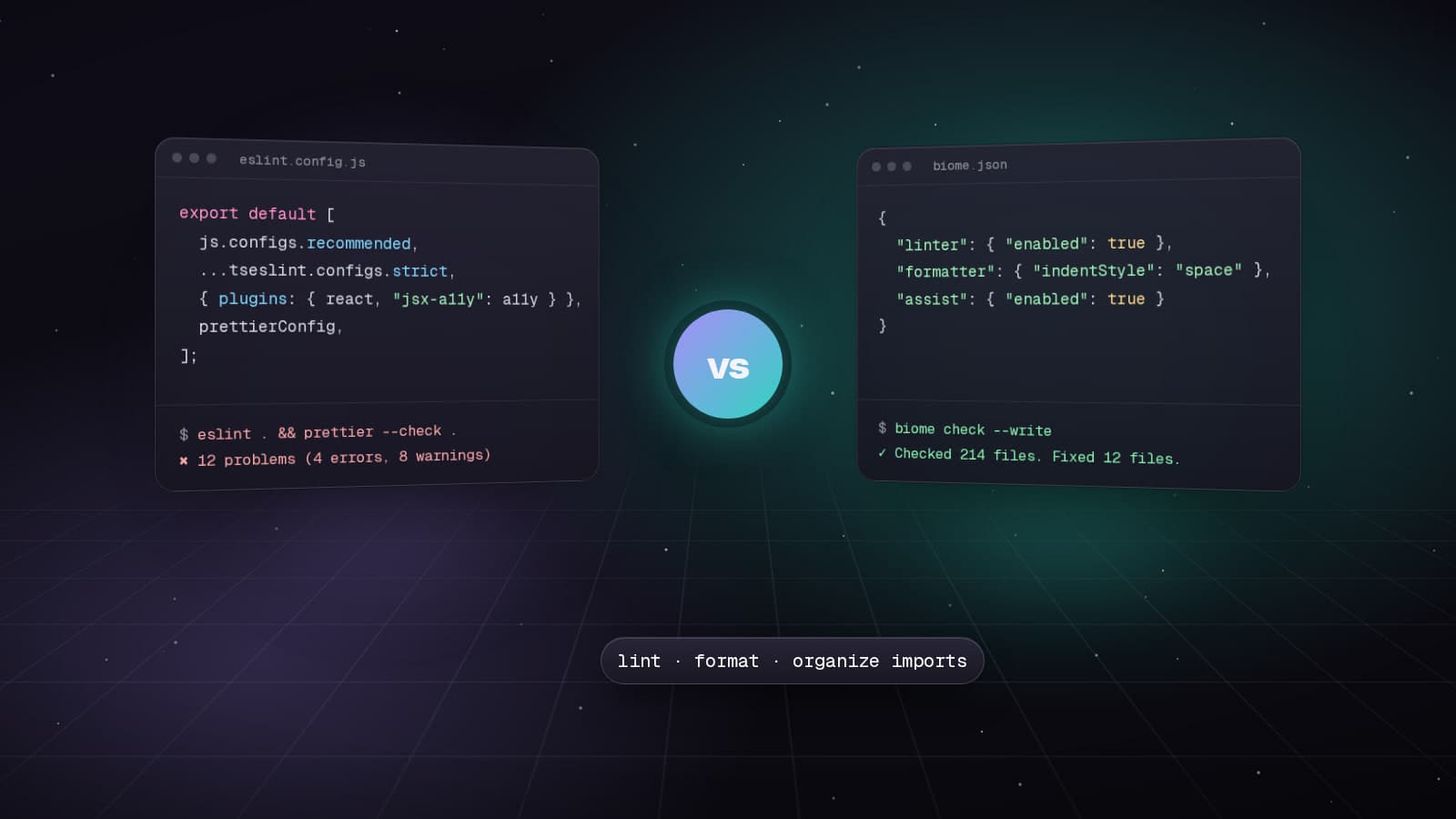
In 2025, JavaScript developers face a critical choice: stick with the battle-tested ESLint or embrace the speed of Biome. After extensive testing with both tools, here's everything you need to make an informed decision.
Performance Benchmarks: The Numbers Don't Lie
Biome's Rust-based architecture delivers impressive performance improvements:
- Formatting: 25x faster than Prettier
- Linting: 15x faster than ESLint
- Cold starts: 3-5x improvement in CI/CD pipelines
In real-world testing on a medium-sized TypeScript project (50K lines):
- ESLint: 15 seconds with full type-checking
- Biome: 6 seconds with type-aware rules
Installing Biome in a Next.js Project
Let's walk through setting up Biome in a Next.js application:
# Install Biome
pnpm add -D @biomejs/biome

# Initialize Biome configuration
pnpm biome init
This creates a biome.json configuration file:
{
  "$schema": "https://biomejs.dev/schemas/1.9.4/schema.json",
  "vcs": {
    "enabled": true,
    "clientKind": "git",
    "useIgnoreFile": true
  },
  "files": {
    "ignoreUnknown": false,
    "ignore": [".next", "node_modules", "out", ".turbo"]
  },
  "formatter": {
    "enabled": true,
    "indentStyle": "space",
    "indentWidth": 2,
    "lineWidth": 80
  },
  "linter": {
    "enabled": true,
    "rules": {
      "recommended": true,
      "suspicious": {
        "noExplicitAny": "warn"
      },
      "correctness": {
        "useHookAtTopLevel": "error"
      }
    }
  },
  "javascript": {
    "formatter": {
      "quoteStyle": "double",
      "trailingCommas": "es5"
    }
  }
}
Update package.json Scripts
{
  "scripts": {
    "lint": "biome check .",
    "lint:fix": "biome check --write .",
    "format": "biome format --write .",
    "check": "biome check --write ."
  }
}
Migrating from ESLint and Prettier
Biome provides an automated migration command:
# Migrate ESLint configuration
pnpm biome migrate eslint --write

# This will:
# 1. Read your .eslintrc or eslint.config.js
# 2. Convert compatible rules to Biome
# 3. Update your biome.json
# 4. Create a migration report
Manual Migration Steps
For a complete migration:
- Remove ESLint and Prettier dependencies
pnpm remove eslint prettier @typescript-eslint/parser @typescript-eslint/eslint-plugin eslint-config-next eslint-config-prettier- Delete configuration files
rm .eslintrc.json .prettierrc .prettierignore- Update VS Code settings (
.vscode/settings.json)
{
  "editor.defaultFormatter": "biomejs.biome",
  "editor.formatOnSave": true,
  "editor.codeActionsOnSave": {
    "quickfix.biome": "explicit",
    "source.organizeImports.biome": "explicit"
  },
  "[javascript]": {
    "editor.defaultFormatter": "biomejs.biome"
  },
  "[typescript]": {
    "editor.defaultFormatter": "biomejs.biome"
  },
  "[json]": {
    "editor.defaultFormatter": "biomejs.biome"
  }
}
Setting Up Biome in a React Project
For Create React App or Vite projects:
# Install Biome
npm install --save-dev @biomejs/biome

# Initialize
npx biome init

# For React-specific rules, update biome.json:{
"linter": {
"enabled": true,
"rules": {
"recommended": true,
"a11y": {
"useButtonType": "error",
"useKeyWithClickEvents": "error"
},
"correctness": {
"useExhaustiveDependencies": "warn",
"useHookAtTopLevel": "error"
},
"suspicious": {
"noArrayIndexKey": "warn"
}
}
}
}CI/CD Integration
Add Biome to your CI pipeline for consistent code quality:
# .github/workflows/ci.yml
name: CI
on: [push, pull_request]

jobs:
  lint:
    runs-on: ubuntu-latest
    steps:
      - uses: actions/checkout@v4
      - uses: actions/setup-node@v4
        with:
          node-version: '20'
      - run: npm ci
      - run: npx @biomejs/biome ci .
When to Choose Biome vs ESLint
Choose Biome if:
- Speed is critical (fast CI/CD pipelines)
- You want an all-in-one tool (linter + formatter)
- Starting a new project without legacy constraints
- You value simple configuration
Choose ESLint if:
- You need specific plugins (e.g., testing-library, jest)
- Large existing codebase with custom ESLint rules
- Team already invested in ESLint ecosystem
- Need maximum rule customization
Real-World Migration Experience
After migrating three production projects to Biome:
- CI pipeline time reduced by 40%
- Developer feedback loop improved significantly
- Configuration complexity decreased dramatically
- Zero compatibility issues with modern tooling
Biome represents the future of JavaScript tooling - faster, simpler, and more reliable. For new projects in 2025, it's the clear choice. For existing projects, the migration path is straightforward and the benefits are immediate.