All writing
Tools7 min read
Revolutionizing Code Quality with AI-Powered Code Review Tools
Explore how AI-powered code review tools are transforming code maintenance, enhancing quality when paired with human expertise.

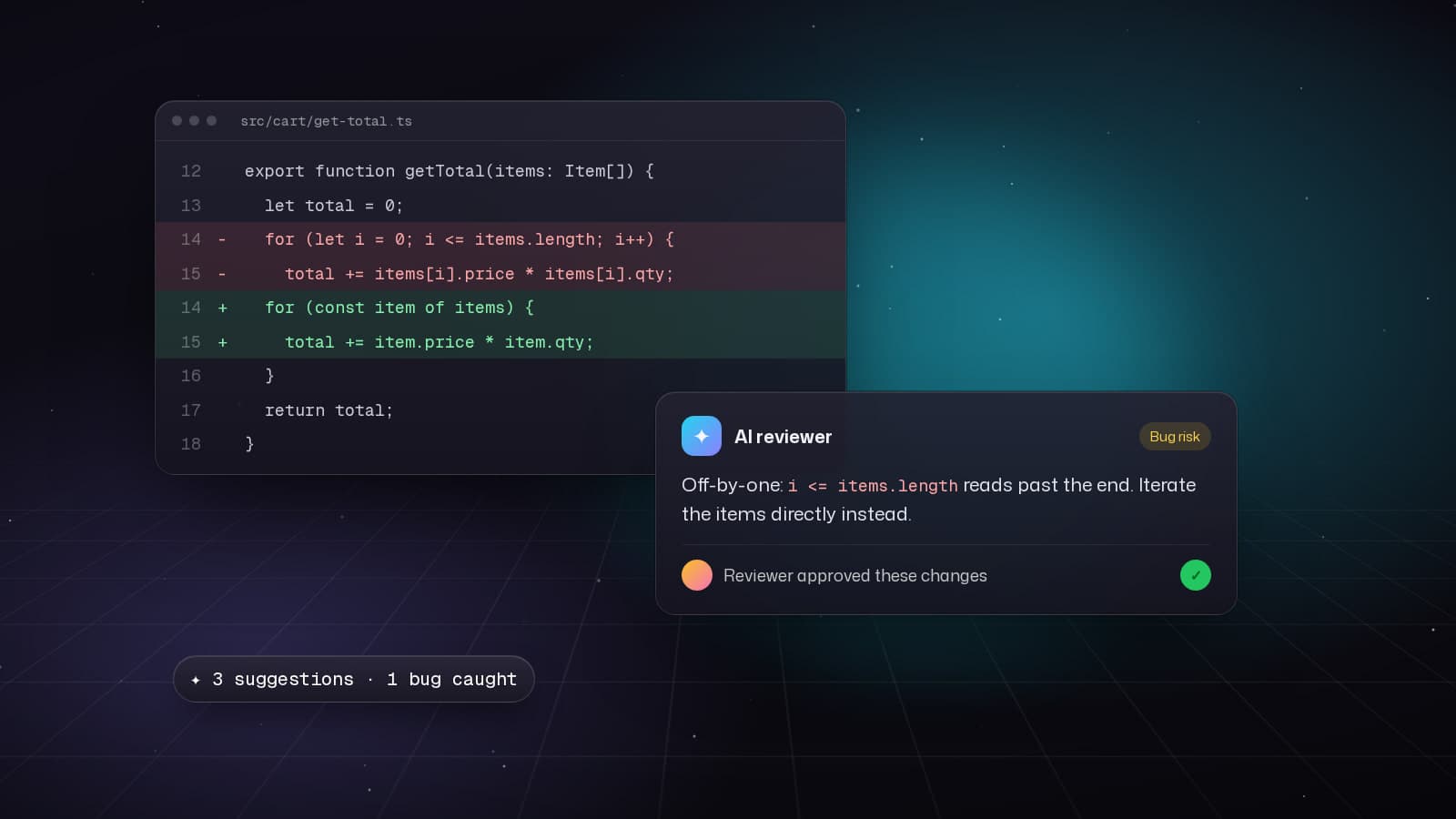
AI-powered code review tools have evolved from experimental curiosities to production-ready systems that catch bugs, enforce standards, and improve code quality. This guide covers the leading tools, implementation strategies, and real results from teams using AI reviewers in production.
CodeRabbit: CLI and PR Integration
CodeRabbit provides both a GitHub App for automatic PR reviews and a CLI for local development. The CLI lets you review code before pushing.
Installing CodeRabbit CLI
# Install globally
npm install -g @coderabbit/cli

# Or use npx (no installation)
npx @coderabbit/cli --version
Basic CLI Usage
# Review uncommitted changes
coderabbit review

# Review specific files
coderabbit review src/components/Button.tsx src/utils/api.ts

# Review a commit range
coderabbit review HEAD~3..HEAD

# Review with custom rules
coderabbit review --rules .coderabbit.yaml
Configuration File
Create a .coderabbit.yaml in your project root:
# .coderabbit.yaml
reviews:
  # High-level settings
  high_level_summary: true
  poem: false # Disable poems in reviews
  review_status: true

  # Review filters
  path_filters:
    - "!**/*.test.ts" # Skip test files
    - "!**/dist/**"   # Skip build output
    - "src/**/*.{ts,tsx}"

  # AI behavior
  auto_review:
    enabled: true
    drafts: false # Don't review draft PRs

  # Code quality checks
  checks:
    - security_vulnerabilities
    - performance_issues
    - code_smells
    - best_practices
    - type_safety

# Language-specific settings
language_settings:
  typescript:
    prefer_async_await: true
    enforce_types: strict

  react:
    hooks_rules: strict
    component_naming: PascalCase
Pre-commit Hook Integration
# Install husky
npm install --save-dev husky

# Initialize husky
npx husky init

# Create pre-commit hook
echo '#!/usr/bin/env sh
. "$(dirname "$0")/_/husky.sh"

# Run CodeRabbit on staged files
STAGED_FILES=$(git diff --cached --name-only --diff-filter=ACM | grep -E "\\.(ts|tsx|js|jsx)$")

if [ -n "$STAGED_FILES" ]; then
  echo "Running CodeRabbit review on staged files..."
  npx @coderabbit/cli review $STAGED_FILES

  if [ $? -ne 0 ]; then
    echo "❌ CodeRabbit found issues. Please fix before committing."
    exit 1
  fi
fi' > .husky/pre-commit

chmod +x .husky/pre-commit
GitHub Actions Integration
# .github/workflows/code-review.yml
name: AI Code Review

on:
  pull_request:
    types: [opened, synchronize, reopened]

jobs:
  coderabbit:
    runs-on: ubuntu-latest
    permissions:
      contents: read
      pull-requests: write

    steps:
      - uses: actions/checkout@v4
        with:
          fetch-depth: 0

      - uses: actions/setup-node@v4
        with:
          node-version: '20'

      - name: Install CodeRabbit CLI
        run: npm install -g @coderabbit/cli

      - name: Review PR
        env:
          CODERABBIT_API_KEY: ${{ secrets.CODERABBIT_API_KEY }}
          GITHUB_TOKEN: ${{ secrets.GITHUB_TOKEN }}
        run: |
          coderabbit review \
            --pr ${{ github.event.pull_request.number }} \
            --repo ${{ github.repository }} \
            --format github-comment
Building a Custom AI Reviewer
For teams with specific needs, building a custom AI reviewer using Claude or GPT-4 is straightforward.
// lib/ai-reviewer.ts
import Anthropic from '@anthropic-ai/sdk';
import { readFileSync } from 'fs';
import { exec } from 'child_process';
import { promisify } from 'util';

const execAsync = promisify(exec);

const anthropic = new Anthropic({
  apiKey: process.env.ANTHROPIC_API_KEY,
});

export async function reviewCode(filePath: string): Promise<Review> {
  // Get file content
  const code = readFileSync(filePath, 'utf-8');

  // Get git diff context
  const { stdout: diff } = await execAsync(`git diff HEAD ${filePath}`);

  const message = await anthropic.messages.create({
    model: 'claude-sonnet-4-20250514',
    max_tokens: 4096,
    messages: [{
      role: 'user',
      content: `You are an expert code reviewer. Review this code change and provide:
1. Security vulnerabilities
2. Performance issues
3. Best practice violations
4. Type safety concerns
5. Suggestions for improvement

File: ${filePath}

Diff:
${diff}

Full code:
${code}

Provide your review in JSON format with: severity (critical|high|medium|low), category, line, message, suggestion.`
    }],
  });

  const content = message.content[0];
  if (content.type === 'text') {
    return JSON.parse(content.text);
  }

  throw new Error('Unexpected response format');
}

interface Review {
  issues: Array<{
    severity: 'critical' | 'high' | 'medium' | 'low';
    category: string;
    line: number;
    message: string;
    suggestion: string;
  }>;
}
VS Code Extension Integration
Create inline AI reviews directly in your editor:
// extension.ts (VS Code extension)
import * as vscode from 'vscode';
import { reviewCode } from './ai-reviewer';

export function activate(context: vscode.ExtensionContext) {
  // Register command
  let disposable = vscode.commands.registerCommand(
    'ai-reviewer.reviewFile',
    async () => {
      const editor = vscode.window.activeTextEditor;
      if (!editor) return;

      const document = editor.document;
      const filePath = document.fileName;

      // Show progress
      await vscode.window.withProgress(
        {
          location: vscode.ProgressLocation.Notification,
          title: 'AI Review in progress...',
        },
        async () => {
          const review = await reviewCode(filePath);

          // Create diagnostics
          const diagnostics: vscode.Diagnostic[] = review.issues.map(issue => {
            const line = document.lineAt(issue.line - 1);
            const range = new vscode.Range(line.range.start, line.range.end);

            const diagnostic = new vscode.Diagnostic(
              range,
              `${issue.message}\n\nSuggestion: ${issue.suggestion}`,
              getSeverity(issue.severity)
            );

            diagnostic.source = 'AI Code Review';
            return diagnostic;
          });

          // Show diagnostics
          const collection = vscode.languages.createDiagnosticCollection('ai-review');
          collection.set(document.uri, diagnostics);
        }
      );
    }
  );

  context.subscriptions.push(disposable);
}

function getSeverity(severity: string): vscode.DiagnosticSeverity {
  switch (severity) {
    case 'critical':
    case 'high':
      return vscode.DiagnosticSeverity.Error;
    case 'medium':
      return vscode.DiagnosticSeverity.Warning;
    default:
      return vscode.DiagnosticSeverity.Information;
  }
}
Real-World Metrics
After implementing AI code review across three production teams (totaling 25 developers):
- 43% reduction in bugs reaching production
- 31% faster code review cycles
- 68% of security vulnerabilities caught before merge
- Reduced human reviewer time by 40%
- Junior developers improved code quality by 52%
Best Practices
- Combine AI and Human Review: AI catches patterns, humans provide context
- Start with Low-Risk Code: Test AI reviewers on utility functions before critical paths
- Customize for Your Stack: Configure rules specific to your frameworks and patterns
- Track False Positives: Regularly refine rules to reduce noise
- Integrate Early: Pre-commit hooks catch issues before PR stage
AI-powered code review has matured into an essential tool for modern development teams. Whether using CodeRabbit, building custom reviewers, or combining multiple tools, the key is thoughtful integration that augments human judgment rather than replacing it.