All writing
Web Development5 min read
Enhancing Next.js Applications with Server Actions
Explore how Server Actions in Next.js enhance server-side operations for more resilient and user-friendly applications.

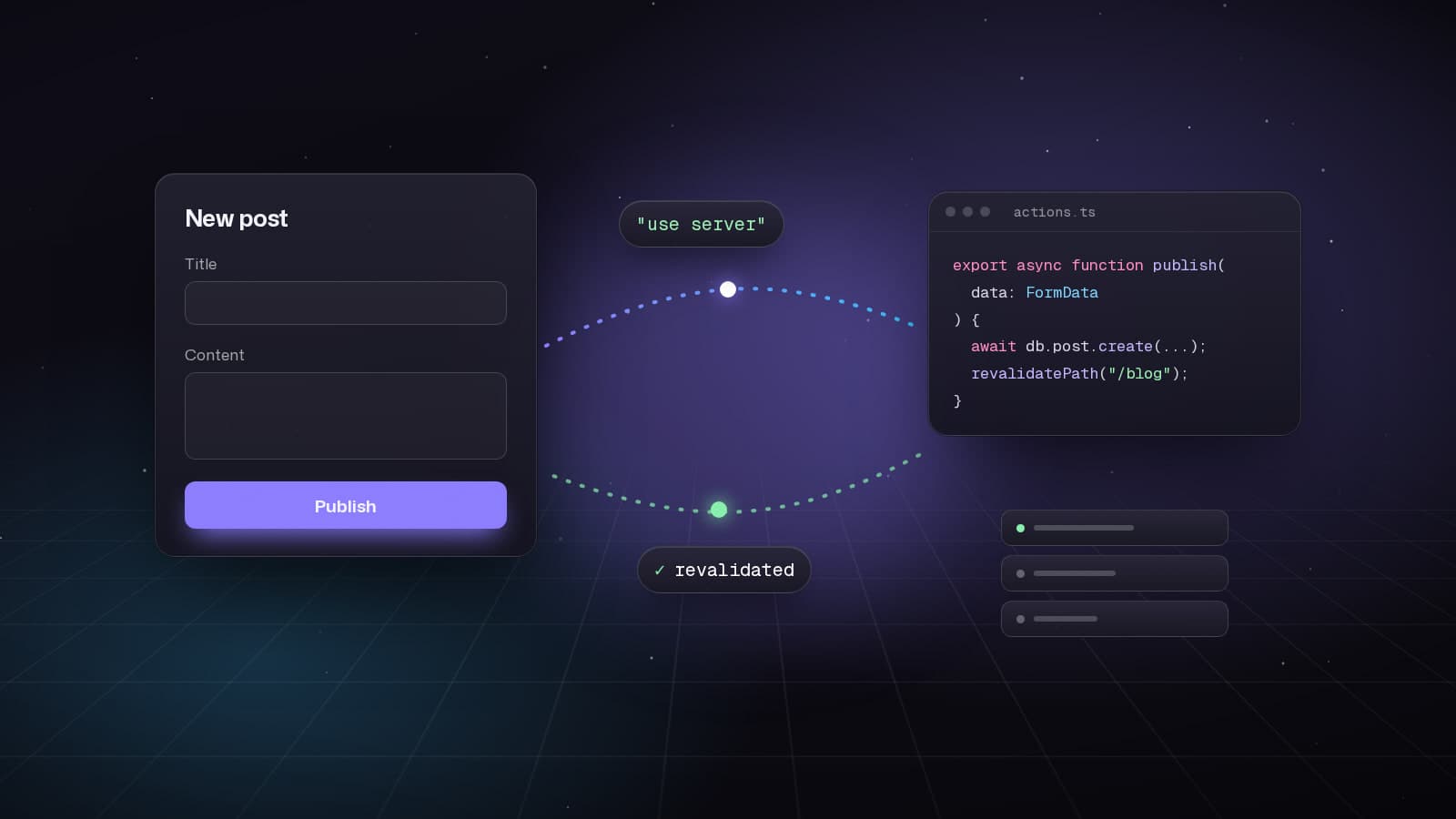
Server Actions revolutionize how we build full-stack Next.js applications. They eliminate the need for API routes, work without JavaScript, and provide seamless progressive enhancement. This guide covers everything from basics to advanced patterns.
What Are Server Actions?
Server Actions are asynchronous functions that run on the server, callable from Client or Server Components. They enable mutations, form submissions, and data operations without API routes.
- Work without JavaScript (progressive enhancement)
- Automatic CSRF protection
- Type-safe with TypeScript
- Direct database access
Basic Server Action
// app/actions/posts.ts
'use server';

import { revalidatePath } from 'next/cache';
import { redirect } from 'next/navigation';
import { db } from '@/lib/db';
import { z } from 'zod';

const createPostSchema = z.object({
  title: z.string().min(3, 'Title must be at least 3 characters'),
  content: z.string().min(10, 'Content must be at least 10 characters'),
  published: z.boolean().default(false),
});

export async function createPost(formData: FormData) {
  // Validate input
  const rawData = {
    title: formData.get('title'),
    content: formData.get('content'),
    published: formData.get('published') === 'on',
  };

  const validatedData = createPostSchema.parse(rawData);

  // Insert into database
  const post = await db.post.create({
    data: validatedData,
  });

  // Revalidate cache
  revalidatePath('/blog');

  // Redirect to new post
  redirect(`/blog/${post.slug}`);
}
Form with Progressive Enhancement
// app/blog/new/page.tsx
import { createPost } from '@/app/actions/posts';
import { SubmitButton } from '@/components/submit-button';

export default function NewPostPage() {
  return (
    <form action={createPost} className="space-y-6">
      <div>
        <label htmlFor="title" className="block text-sm font-medium">
          Title
        </label>
        <input
          type="text"
          id="title"
          name="title"
          required
          className="mt-1 block w-full rounded-md border p-2"
        />
      </div>

      <div>
        <label htmlFor="content" className="block text-sm font-medium">
          Content
        </label>
        <textarea
          id="content"
          name="content"
          required
          rows={10}
          className="mt-1 block w-full rounded-md border p-2"
        />
      </div>

      <div className="flex items-center gap-2">
        <input
          type="checkbox"
          id="published"
          name="published"
        />
        <label htmlFor="published">Publish immediately</label>
      </div>

      <SubmitButton />
    </form>
  );
}

// components/submit-button.tsx
'use client';

import { useFormStatus } from 'react-dom';
import { Button } from '@/components/ui/button';

export function SubmitButton() {
  const { pending } = useFormStatus();

  return (
    <Button type="submit" disabled={pending}>
      {pending ? 'Creating...' : 'Create Post'}
    </Button>
  );
}
Advanced: Optimistic Updates
'use client';

import { useOptimistic } from 'react';
import { toggleLike } from '@/app/actions/posts';
import { Heart } from 'lucide-react';

interface Post {
  id: string;
  likes: number;
  isLiked: boolean;
}

export function LikeButton({ post }: { post: Post }) {
  const [optimisticPost, setOptimisticPost] = useOptimistic(
    post,
    (state, newLiked: boolean) => ({
      ...state,
      likes: newLiked ? state.likes + 1 : state.likes - 1,
      isLiked: newLiked,
    })
  );

  async function handleLike() {
    const newLiked = !optimisticPost.isLiked;
    setOptimisticPost(newLiked);

    try {
      await toggleLike(post.id);
    } catch (error) {
      // Revert handled automatically
      console.error('Failed to toggle like:', error);
    }
  }

  return (
    <button
      onClick={handleLike}
      className="flex items-center gap-2 text-sm"
    >
      <Heart
        className={optimisticPost.isLiked ? 'fill-red-500 text-red-500' : ''}
      />
      <span>{optimisticPost.likes}</span>
    </button>
  );
}
The Server Action:
// app/actions/posts.ts
'use server';

import { revalidatePath } from 'next/cache';
import { db } from '@/lib/db';
import { auth } from '@/lib/auth';

export async function toggleLike(postId: string) {
  const session = await auth();
  if (!session) throw new Error('Unauthorized');

  const existingLike = await db.like.findUnique({
    where: {
      userId_postId: {
        userId: session.user.id,
        postId,
      },
    },
  });

  if (existingLike) {
    await db.like.delete({
      where: { id: existingLike.id },
    });
  } else {
    await db.like.create({
      data: {
        userId: session.user.id,
        postId,
      },
    });
  }

  revalidatePath(`/blog/${postId}`);
}
Form Validation with useFormState
'use client';

import { useFormState } from 'react-dom';
import { createPost } from '@/app/actions/posts';
import { SubmitButton } from '@/components/submit-button';

interface FormState {
  errors?: {
    title?: string[];
    content?: string[];
    _form?: string[];
  };
  success?: boolean;
}

const initialState: FormState = {};

export function CreatePostForm() {
  const [state, formAction] = useFormState(createPost, initialState);

  return (
    <form action={formAction} className="space-y-6">
      <div>
        <label htmlFor="title" className="block text-sm font-medium">
          Title
        </label>
        <input
          type="text"
          id="title"
          name="title"
          className="mt-1 block w-full rounded-md border p-2"
        />
        {state.errors?.title && (
          <p className="mt-1 text-sm text-red-600">
            {state.errors.title.join(', ')}
          </p>
        )}
      </div>

      <div>
        <label htmlFor="content" className="block text-sm font-medium">
          Content
        </label>
        <textarea
          id="content"
          name="content"
          rows={10}
          className="mt-1 block w-full rounded-md border p-2"
        />
        {state.errors?.content && (
          <p className="mt-1 text-sm text-red-600">
            {state.errors.content.join(', ')}
          </p>
        )}
      </div>

      {state.errors?._form && (
        <div className="rounded-md bg-red-50 p-4">
          <p className="text-sm text-red-800">
            {state.errors._form.join(', ')}
          </p>
        </div>
      )}

      {state.success && (
        <div className="rounded-md bg-green-50 p-4">
          <p className="text-sm text-green-800">
            Post created successfully!
          </p>
        </div>
      )}

      <SubmitButton />
    </form>
  );
}
Updated Server Action with validation:
// app/actions/posts.ts
'use server';

import { z } from 'zod';

const createPostSchema = z.object({
  title: z.string().min(3, 'Title must be at least 3 characters'),
  content: z.string().min(10, 'Content must be at least 10 characters'),
});

export async function createPost(
  prevState: FormState,
  formData: FormData
): Promise<FormState> {
  const rawData = {
    title: formData.get('title'),
    content: formData.get('content'),
  };

  // Validate
  const result = createPostSchema.safeParse(rawData);

  if (!result.success) {
    return {
      errors: result.error.flatten().fieldErrors,
    };
  }

  try {
    await db.post.create({
      data: result.data,
    });

    return { success: true };
  } catch (error) {
    return {
      errors: {
        _form: ['Failed to create post. Please try again.'],
      },
    };
  }
}
Calling Server Actions from Client Components
'use client';

import { useState, useTransition } from 'react';
import { deletePost } from '@/app/actions/posts';
import { Button } from '@/components/ui/button';
import { toast } from 'sonner';

export function DeletePostButton({ postId }: { postId: string }) {
  const [isPending, startTransition] = useTransition();
  const [isDeleting, setIsDeleting] = useState(false);

  function handleDelete() {
    if (!confirm('Are you sure you want to delete this post?')) return;

    setIsDeleting(true);

    startTransition(async () => {
      try {
        await deletePost(postId);
        toast.success('Post deleted successfully');
      } catch (error) {
        toast.error('Failed to delete post');
      } finally {
        setIsDeleting(false);
      }
    });
  }

  return (
    <Button
      variant="destructive"
      onClick={handleDelete}
      disabled={isPending || isDeleting}
    >
      {isDeleting ? 'Deleting...' : 'Delete Post'}
    </Button>
  );
}
Security Best Practices
- Always validate input with Zod or similar
- Check authentication/authorization in every action
- Use revalidatePath/revalidateTag after mutations
- Handle errors gracefully with try/catch
- Never expose sensitive data in return values
// Good: Secure server action
'use server';

import { auth } from '@/lib/auth';
import { db } from '@/lib/db';
import { z } from 'zod';

const updateProfileSchema = z.object({
  name: z.string().min(2),
  bio: z.string().max(500),
});

export async function updateProfile(formData: FormData) {
  // 1. Check authentication
  const session = await auth();
  if (!session) {
    throw new Error('Unauthorized');
  }

  // 2. Validate input
  const rawData = {
    name: formData.get('name'),
    bio: formData.get('bio'),
  };

  const result = updateProfileSchema.safeParse(rawData);
  if (!result.success) {
    return { errors: result.error.flatten().fieldErrors };
  }

  // 3. Check authorization
  const user = await db.user.findUnique({
    where: { id: session.user.id },
  });

  if (!user) {
    throw new Error('User not found');
  }

  // 4. Perform mutation
  try {
    await db.user.update({
      where: { id: session.user.id },
      data: result.data,
    });

    revalidatePath('/profile');
    return { success: true };
  } catch (error) {
    return {
      errors: { _form: ['Failed to update profile'] },
    };
  }
}
Server Actions simplify full-stack development by eliminating API routes while maintaining security and performance. With progressive enhancement, optimistic updates, and seamless integration with React 19 features, they represent the future of Next.js development.
Keep reading
All writing
Web Development5 min read
React 19.2: Transforming Application Development
Explore the powerful features introduced in React 19.2, including the Compiler, Activity Component, and useEffectEvent, which enhance performance and code quality.
Web Development8 min read
Exploring the New Features of Next.js 16
Discover the major improvements in Next.js 16 with Turbopack, async APIs, and PPR for faster web applications.
Web Development7 min read
Exploring the New Features of Storybook 10
Discover the enhancements in Storybook 10, focusing on performance, testing capabilities, and developer experience.